HomeLab Phase 1
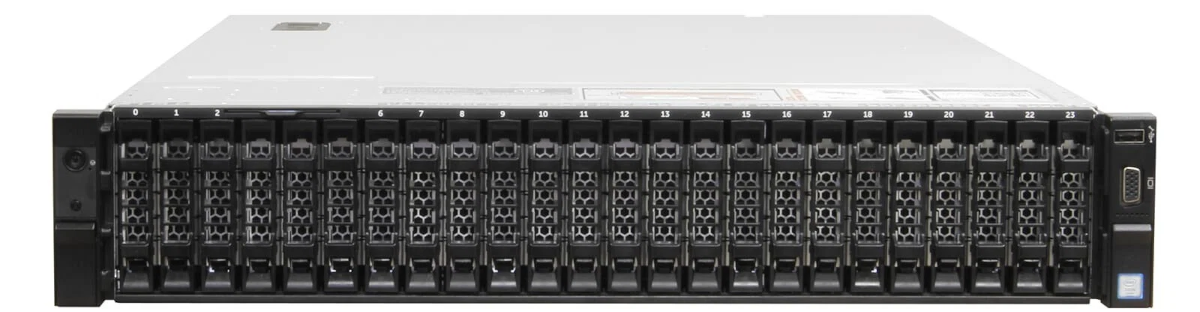
One of my side projects is a data analysis that is memory-bound; the first phase is collection, sorting, and storage. Generally, this type of task a GPU doesn't help. The second phase searching the large combinations of datasets to find patterns a GPU could be used. For this buildout I am focusing on the first phase. Surprisingly, the analysis, phase one and two do run on my laptop with 24 GB of RAM and a pile of swap space. Catch is early estimates put runtimes to be roughly three months for a short version and well over a year for a more exhaustive run. A large effort on optimization would improve performance, but at what cost? It is satisfying when you tame a massive task to fit into tiny hardware requirements but that effort would be better spent else where if a low cost hardware solution could be found.
Lowdown on the requirements
- No guarantee that it will generate revenue in the near term.
- GPU is not needed
- Memory and storage is the limit, not raw compute 200 GB+ RAM, with 300 GB+ as a realistic target ~4 TB SSD for active datasets 10–20 TB HDD for archives and intermediate data
Compute time needs are:
- Laptop development: 50–100 hours
- Server-side setup and development: 20–30 hours
- Analysis runs: ~300 hours initially, with the potential to expand to multiple months
Additional items
- Data transfer: ~3–6 TB outbound, which mainly affects cloud pricing
- Electricity costs $0.18/kWh
These numbers were rough, but enough to gauge costs.
1. Cloud infrastructure Using a memory-optimized instance with ~256 GB of RAM, the costs came out to:
-
Initial run (~320–330 hours)
- Compute: ~$650
- Data egress (3–6 TB): ~$270–$540
- SSD storage (4 TB, ~½ month): ~$140
- Total: ~$1,050–$1,350
-
Extended run (~3 months)
- Compute: ~$4,400
- Data egress (3–6 TB): ~$270–$540
- SSD storage (4 TB, 3 months): ~$980
- Total: ~$5,650–$5,950
2. New enterprise workstation (DDR5) A DDR5 workstation with ~384 GB of RAM looks attractive on paper. In practice, RAM alone approaches $10,000, pushing a full system past $20,000.
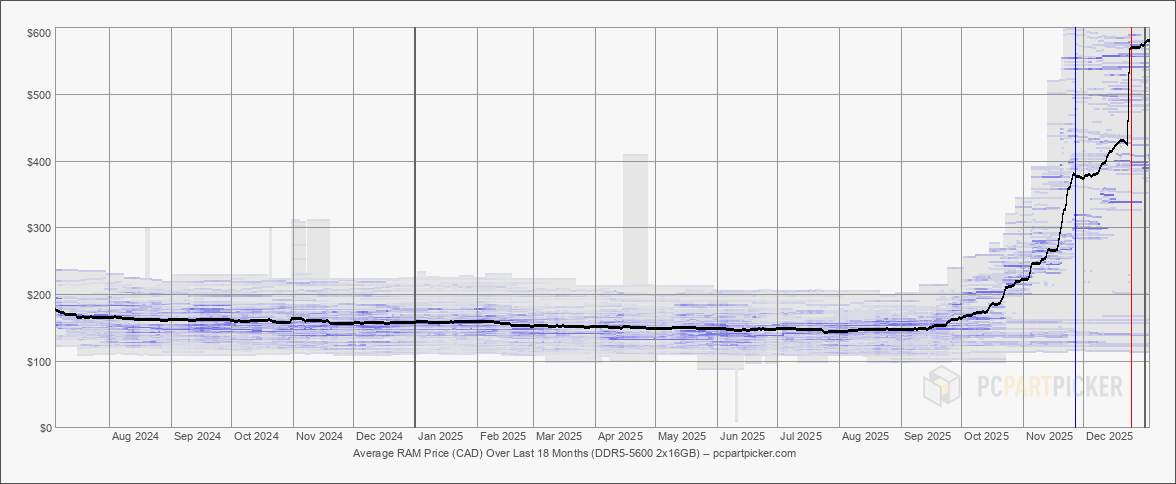
3. High-end consumer desktop (DDR4 / Threadripper) A DDR4 Threadripper build can reach 256 GB of RAM, but once CPU, motherboard, cooling, storage, and power are included, the cost lands around $4,000–$7,000.
4. Used enterprise server Used Dell PowerEdge R730xd with 384 GB of RAM, had came available locally with enough SSD storage to get the job done. The catch I would need add soundproofing to the storage room to have a home for it. Total cost was around $1200
Tower/Server operating costs, ~0.25 kW average draw and $0.18/kWh:
- Initial run (320–330 hours): ~$15 in electricity
- Extended run (~3 months): ~$100 in electricity
That puts the all-in cost around $1,400–$1,500, even if the analysis runs for months. Power draw would be about the same for the desktops above
Comparison
The cloud works well for short bursts. For a long-running task, the cost curve ramps up quickly. Something to consider for phase two where a high priced GPU can complete workloads in hours vs weeks.
All new hardware purchase for either desktops are hard to justify with no direct revenue stream. The newer hardware might halve the compute time but without direct revenue there is no means to justify the extra expense.
The clear winner came down to the used Dell PowerEdge R730xd for cost vs performance, if the side project works out then the work transitions to a more powerful setup in a 24x7 location and the server can be retired with limited capital depreciation.
Stay tuned for phase 2 budgeting for GPU costs.